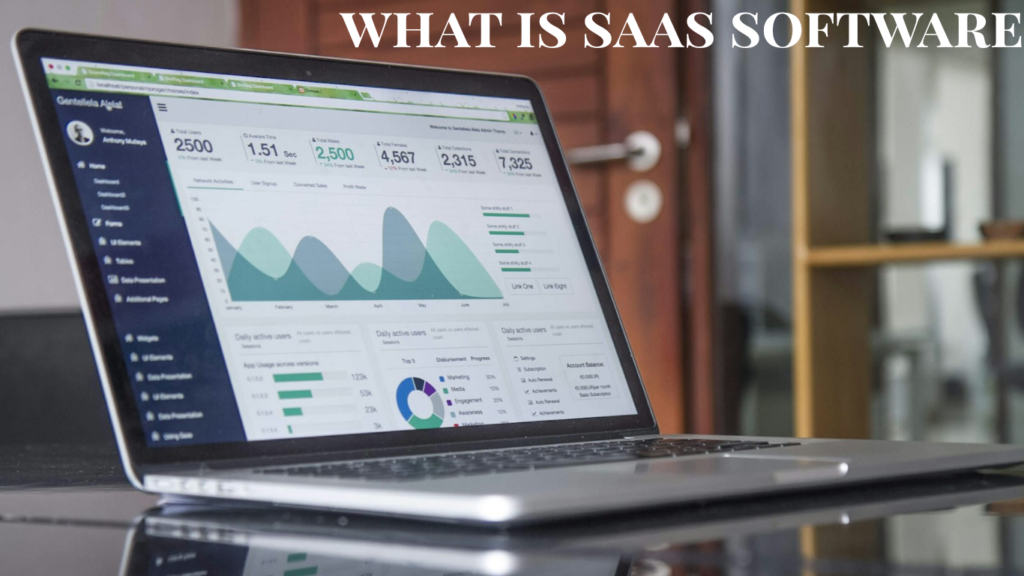
Many new business owners ask what is SaaS software and whether it is worth paying for every month.
Businesses using cloud software automate at least one process in 81% of cases, and small-business leaders using modern software stacks can save meaningful admin time each week.
If you run emails, invoices, social posts, and client work yourself, the real problem is not software choice alone. It is paying for tools you never fully use.
This guide explains what SaaS software is, how does SaaS work in plain English, and which beginner-friendly tools give the best value on a $0 to $200 monthly budget.
You will also see real SaaS examples for small business owners, a pricing-first stack, and the best picks by business type.
By the end of this guide, you will clearly understand what is SaaS software, how it works, and which SaaS tools are worth paying for as a small business owner.
What is SaaS software?
SaaS software means software as a service. You pay a monthly or annual subscription and use the tool online instead of installing and maintaining it on your own server.
For a small business owner, that usually means predictable monthly pricing, fast setup, automatic updates, and access from anywhere with an internet connection.
How does SaaS work?
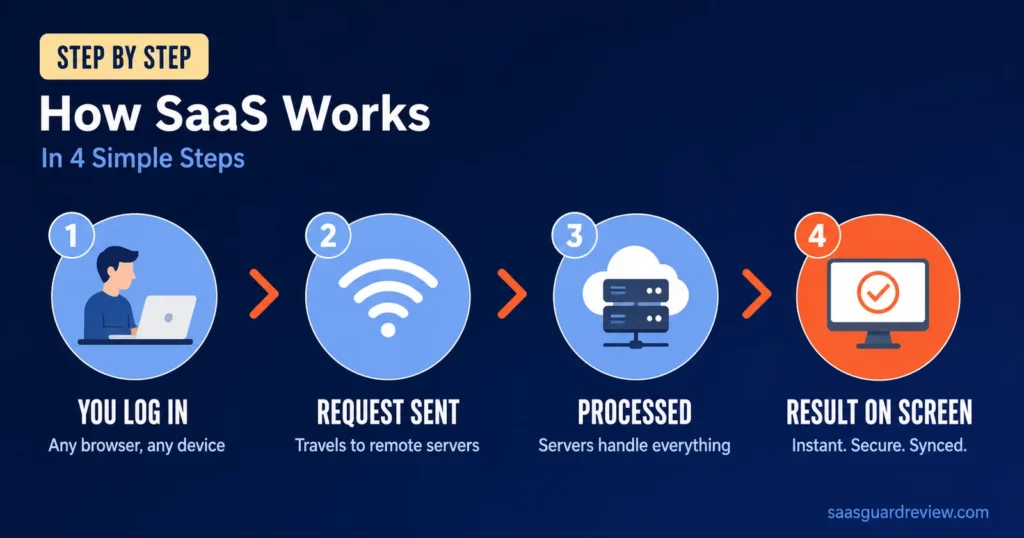
SaaS runs in the vendor’s cloud environment. The provider handles hosting, updates, security, and core maintenance, you simply log in through a browser or app.
That model matters for small businesses because it removes large upfront IT costs and makes monthly budgeting easier.
For anyone still asking what is SaaS software, the simplest answer is that you access the software online while the provider manages the technology behind it.
Understanding what is SaaS software helps you avoid buying tools you don’t actually need.
Why beginners like it
- You can start at $0 with many tools.
- Setup often takes less than 30 minutes.
- You can cancel or upgrade as you grow.
- Remote access works well for solo operators and small teams.
How we tested these tools
We judged each tool on five practical points: real business tasks, US-friendly support, setup in under 30 minutes, 90-day ROI potential, and transparent USD pricing.
The focus stayed on tasks small owners actually do every week, like sending invoices, managing projects, replying to leads, creating graphics, and running email campaigns.
The tools below fit one of these goals:
- Save time on repeat work.
- Replace a manual spreadsheet or inbox workflow.
The easiest way to understand what is SaaS software is to look at real tools used by small businesses every day.
These examples make it easier to see what is SaaS software in practice and how subscription-based tools solve everyday business tasks.
| Tool | Best for | Free plan? | Price USD/mo | Ease of use | Rating |
| HubSpot Sales Hub | Leads and follow-up | Yes | $0, then $15/seat monthly | Easy | 8.8/10 |
| Canva | Social content and basic design | Yes | $0, then about $12.99 to $15 | Very easy | 9.0/10 |
| QuickBooks Online | Invoices and bookkeeping | Trial offers available | About $38 to $115 | Medium | 8.6/10 |
| Trello | Task and project tracking | Yes | $0, then $5 to $6/user | Easy | 8.4/10 |
| Mailchimp | Email marketing | Yes | $0, then $13+ | Medium | 8.1/10 |
| Google Workspace | Email and docs | No free business tier | $7 annual or $8.40 monthly per user | Very easy | 8.9/10 |
| Keap | CRM + marketing automation in one | No (14-day trial) | From $249/mo | Medium | 8.4/10 |
HubSpot Sales Hub
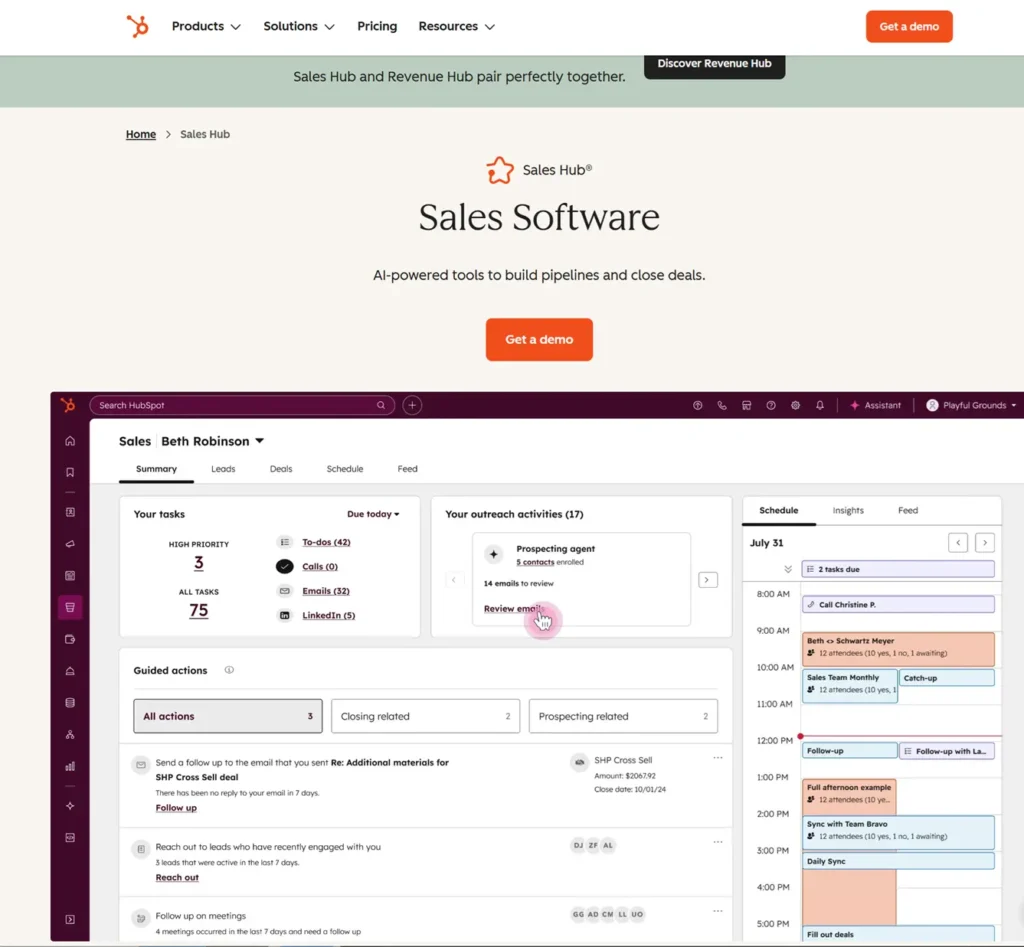
HubSpot is one of the clearest answers to what is SaaS software for a service business. You sign up online, use the CRM in your browser, and pay as your pipeline grows.
For a beginner, the big win is structure. You can track leads, emails, notes, and deal stages in one place without building your own system.
What it does for your business
HubSpot helps you capture leads and track follow-ups; it prevents prospects from slipping through the cracks.
The free tools cover basic CRM needs; paid tiers add automation and deeper pipeline control.
Real use case
A solo consultant in Dallas, Texas, can use the free CRM to track discovery calls and follow-up emails in one dashboard. Upgrading to the $15 per seat plan makes sense once missed follow-ups start costing actual deals.
Pricing USD
HubSpot offers free tools, a Starter tier at $15 per seat monthly, and higher tiers that get expensive fast for small teams. Professional plans can jump well beyond a beginner budget.
✅ Advantages / 🔴 Drawbacks
- ✅ Great free entry point for lead management.
- ✅ Easy to understand for non-technical owners.
- 🔴 Costs climb quickly as features and seats increase.
- 🔴 Advanced tiers can feel too big for a one-person business.
Best for: service businesses that live on calls, quotes, and repeat follow-ups.
Rating: 8.4/10.
Canva
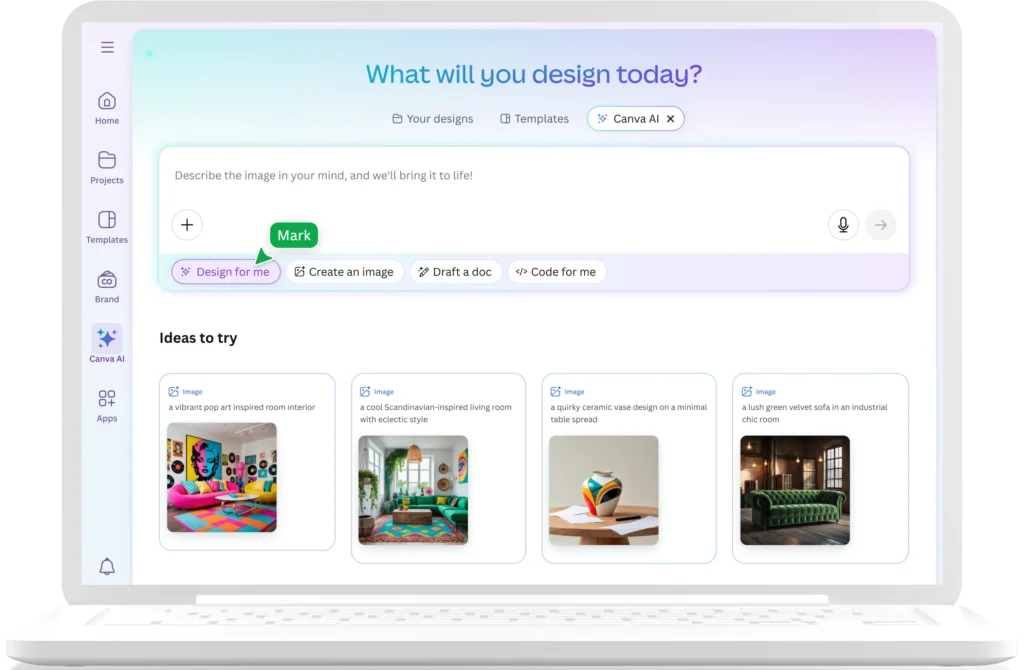
Canva is one of the easiest SaaS tools on the list; almost anyone can use it in minutes.
You open it in a browser, choose a template, and start designing.
No need to hire a designer.
That makes it useful for solopreneurs in Phoenix, Arizona, who need flyers, Instagram posts, client decks, and quick promos on a tight budget.
What it does for your business
It handles day-to-day visual work like social posts, simple presentations, branded PDFs, and promotional graphics. The free plan covers a lot, while Pro adds premium templates, stock assets, and brand controls.
Real use case
A real estate assistant in Phoenix can build listing flyers and open-house posts on the free plan. Moving to Pro at about $12.99 to $15 per month makes sense when branded templates save several hours each week.
Pricing USD
Canva has a free plan, Pro at roughly $12.99 to $15 monthly; and team pricing that rises with users. Teams can become less cheap than people expect once the business grows.
✅ Advantages / 🔴 Drawbacks
- ✅ Extremely beginner-friendly.
- ✅ Strong value at $0 and solid value around $15 per month.
- 🔴 Teams pricing gets more expensive than many owners expect.
- 🔴 Not ideal for advanced design work.
Best for: solo businesses, local services, creators, and anyone who makes content weekly.
Rating: 9.0/10.
Canva is a simple example of what is SaaS software because you access the platform online, use its features through a subscription, and receive updates automatically.
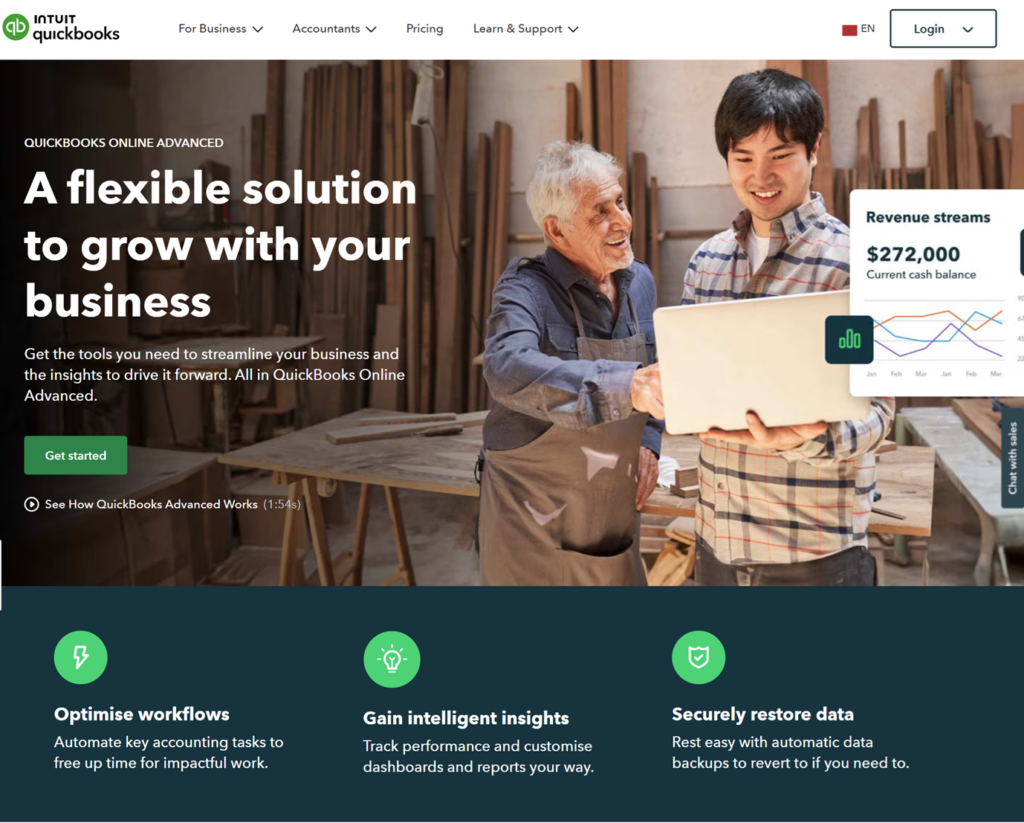
QuickBooks answers a different beginner need. It replaces manual invoice tracking, expense sorting, and basic bookkeeping with one cloud account.
For many owners, that alone removes hours of admin and reduces tax-season panic.
What it does for your business
QuickBooks sends invoices and tracks expenses; it connects financial accounts in one dashboard.
You also get a clearer view of cash flow; this is useful if you still manage invoices manually.
Real use case
A freelance videographer in Atlanta, Georgia, can move from manual invoicing to QuickBooks and charge clients from one dashboard. The jump from around $38 to $75 per month can pay off if late invoices stop delaying cash flow.
Pricing USD
Current online pricing commonly starts around $38 monthly for Simple Start, then about $75 for Essentials and $115 for Plus. Trial promotions change, but renewals matter more than intro discounts.
✅ Advantages / 🔴 Drawbacks
- ✅ Strong fit for invoicing and expense tracking.
- ✅ Familiar choice for many US small businesses.
- 🔴 Pricing increased in 2026 renewals.
- 🔴 Setup feels tedious if your books are messy.
Best for: freelancers, consultants, agencies, and service businesses that send invoices every month.
Rating: 8.6/10.
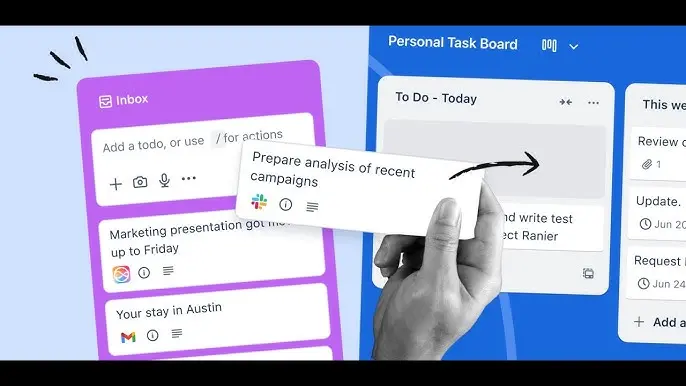
Trello is simple project management software sold as a service. You sign in online, build boards, and organize work without the weight of enterprise software.
That makes it one of the easiest answers to “How does SaaS work in real life?” You pay a monthly fee only if the free plan stops being enough.
What it does for your business
It tracks tasks, deadlines, content calendars, and client workflows in a visual board format. If your business runs on checklists and simple processes, that is often enough.
Real use case
A wedding planner in Miami, Florida can use Trello to track vendors, client approvals, and event-day tasks. The free plan works at first, then $5 per user monthly on Standard adds room to grow without wrecking the budget.
Pricing USD
Trello offers a free plan, Standard around $5 to $6 per user, and Premium around $10 to $12.50 per user depending on billing.
✅ Advantages / 🔴 Drawbacks
- ✅ Very low learning curve.
- ✅ Affordable entry pricing for small teams.
- 🔴 Can feel too basic for complex operations.
- 🔴 Better views and controls sit behind higher tiers.
Best for: solo operators and small teams managing repeat projects.
Rating: 8.4/10.
Google Workspace is a classic SaaS example for small business because it bundles business email, cloud storage, docs, sheets, calendar, and meetings into one subscription.
For many businesses, it is the first paid SaaS tool worth buying because it touches almost every workday task.
What it does for your business
It gives you branded email, shared files, calendars, video meetings, and collaborative documents in one account. That beats juggling a personal Gmail, local files, and scattered tools.
Real use case
A two-person agency in Dallas can move from personal inboxes to branded email and shared docs for about $14 per month on annual Starter billing. That adds credibility fast when clients expect a real business domain.
Pricing USD
Business Starter costs about $7 per user monthly on annual billing or $8.40 month to month. Business Standard rises to about $14 annually or $16.80 monthly.
✅ Advantages / 🔴 Drawbacks
- ✅ Covers email, docs, meetings, and storage in one plan.
- ✅ Easy for beginners to adopt.
- 🔴 No true free business tier.
- 🔴 Monthly pricing rises as users add up.
Best for: almost any small business that needs professional email and shared files.
Rating: 8.9/10.
Rapid reviews – remaining tools
Mailchimp
Mailchimp still works well for email marketing if your list is small and you want familiar templates. Its free tier is limited, and paid pricing starts at $13 per month for Essentials with 500 contacts.
The catch is growth. Once your list reaches 5,000 contacts, pricing can jump to $75 on Essentials or $100 on Standard, which hurts a lean budget.
Best for: newsletters, welcome emails, and simple automations.
Main drawback: costs rise with contact count, not just features.
Rating: 8.1/10.
Understanding what is SaaS software also helps you build a practical software stack based on your budget instead of subscribing to too many tools at once.
Stack by budget USD: what to buy first
If you still wonder what is SaaS software, think of it as renting software instead of owning and maintaining it yourself.
A beginner stack should solve core business work first. That means email, files, invoices, tasks, and basic marketing before anything fancy.
Keap – Best for Coaches & Small Services
Keap positions itself as a complete sales and marketing platform for small businesses. Its main advantage is a simple pricing structure.
There are no traditional feature tiers, so you do not pay more just to unlock additional tools. Every subscription includes the full feature set, while the price varies according to the number of users and contacts.
What it does for your business
Keap combines a sales CRM with an email and SMS marketing tools. Its strength is that it covers the whole customer journey.
There are drag-and-drop builders for pipelines, emails, sign-up forms, and landing pages. Linking marketing activity to sales is easy and intuitive. For example, it offers special ‘blueprints’ for converting new leads quickly. These involve offering suggested incentives to get people signing up, clicking and buying.
Real use case
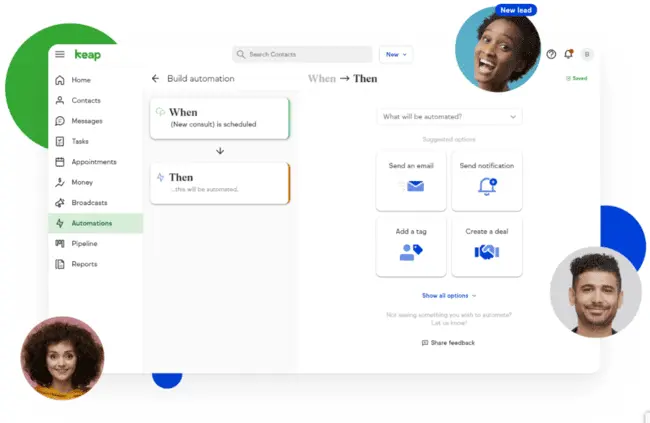
Automation is built into the whole Keap platform through what it calls “lifecycle automation.” This includes automated workflows for lead nurturing, sales conversions, and customer referrals.
For example, Keap can automatically ask existing customers to leave a review after they make a purchase.
Creating these workflows is relatively simple because Keap uses a drag-and-drop builder and provides customizable automation templates.
Keap is an all-in-one CRM that combines contact management, email and SMS marketing, and sales automation in one platform. If you’re looking for the best CRM with marketing automation for small business, Keap is built for established small businesses that want to replace several separate tools.
One other plus with Keap is that it has tools for managing payments. This includes the ability to automate invoicing and track payments. That’s a big benefit for B2B businesses.
Pricing USD
Keap pricing starts at $249 a month for 2 users and 1,000 contacts. There’s a 14-day free trial.
✅ Advantages / 🔴 Drawbacks
- ✅ Full sales and marketing platform
- ✅ User-friendly drag-and-drop tools
- ✅ Manages appointments, referrals and payments
- ✅ All features available on every paid plan
- 🔴 More costly than others
- 🔴 Can feel heavy for tiny teams
These are strong SaaS software examples for small business owners who want simple setup and visible ROI.
Rating: 8.8/10.
$0 per month
Use Canva Free, Trello Free, Mailchimp Free, and HubSpot Free. That covers a big share of content, planning, lead tracking, and basic email work at zero cost.
This level can realistically cover around 60% of core admin and marketing tasks for a solo operator.
$50 per month
A practical solopreneur stack is Google Workspace Starter at $7, Canva Pro at about $12.99 to $15, Trello Standard at $5, and QuickBooks around $38 only if invoicing is a pain point.
That mix lands near $25 to $65 before accounting, and it stays focused on tools with obvious daily use.
$100 to $200 per month
A small team of 3 to 10 people can combine Google Workspace, HubSpot Starter, Canva, Keap, and either QuickBooks or Mailchimp depending on the business model.
At this level, you are still far below the cost of a US virtual assistant at roughly $1,500 to $2,000 per month.
Which tool fits which business type?
The best SaaS software depends on the business model more than the trend. A freelancer does not need the same stack as an online store.
- Solopreneur: Google Workspace, Canva, Trello, QuickBooks.
- Service business: HubSpot, Google Workspace, QuickBooks.
- E-commerce: Google Workspace, Canva, Mailchimp, Trello.
- Content creator: Canva, Google Workspace, Mailchimp, Trello.
What is SaaS software in simple terms? It is software you rent online, use fast, and scale without heavy setup or IT overhead.
For most beginners, Google Workspace is the safest first paid choice at about $7 per user on annual billing because it improves email, files, meetings, and day-to-day collaboration right away.
Now that you understand what is SaaS software, you can build a software stack that fits your budget and business goals.
Now that you know what is SaaS software, you can choose tools based on real business needs instead of following software trends.
For deeper tool-by-tool analysis, link this guide to “What Is SaaS Software?” A Complete Guide for Beginners.
FAQ
What is SaaS software in simple wSaaS software is online software you access through a browser or app and pay for as a subscription. The provider manages hosting, updates, and maintenance.ords?
You create an account, pick a plan, and start using the tool online. The vendor handles the technical side, which lowers setup costs and saves time.
Common examples include Google Workspace for email and docs, QuickBooks for invoicing, Canva for design, Trello for tasks, and Mailchimp for email marketing.
For many basic admin and marketing tasks, yes. A starter software stack can cost under $50 to $200 per month, far below a US assistant at $1,500 to $2,000 monthly.
Explore the Best SaaS Tools for Small Business
Now that you understand what SaaS is, here are our in-depth guides to help you choose the right tools for your business:
- Manage your clients and sales pipeline → Best CRM for Startups in 2026
- Handle invoices and get paid faster → Best Invoicing Software for Freelancers in 2026
- Boost your productivity with AI → Best AI Tools for Small Business in 2026
- Compare software pricing before you commit → Best AI Software Pricing for Small Business in 2026

Michael puts SaaS tools through real workflows and scrutinizes their pricing – flagging hidden fees and upgrade traps so readers know what they’ll actually pay. Honest verdicts, including the cons.