Disclosure: Some links in this article are affiliate links. If you click and purchase, we may earn a commission at no extra cost to you. We only recommend tools we’ve genuinely evaluated.
HubSpot Sales Hub free trial review 2026
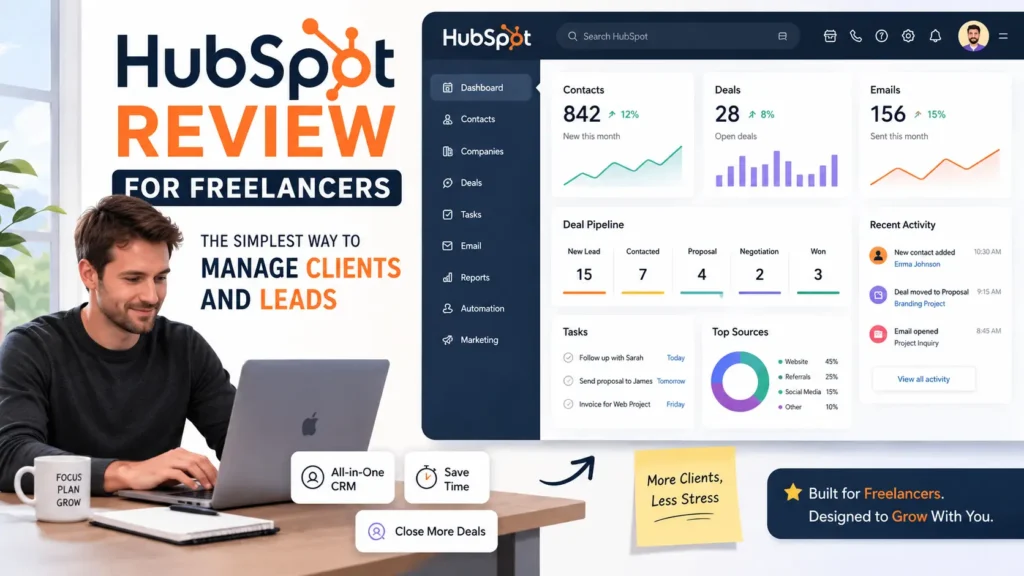
⭐ 8.8/10 : strong free entry point for sales teams, but paid tiers get expensive fast.
Ease of use: 9/10.
Value for money: 8/10.
Features: 9/10.
Support: 8/10.
Finding the right free trial SaaS can save you hundreds of dollars before committing to a subscription. In this guide, we’ve tested the platforms available in 2026 so you can compare features, limitations and choose the perfect software for your business.
HubSpot Sales Hub fits small service businesses, consultants, and lean sales teams that need structure without a long setup.
The main reason to try it is simple: the free plan has no credit card requirement, and the Starter tier begins around $15 per seat per month.
The quick verdict is positive if you manage leads every week and lose time in follow-ups.
If you only need one small feature, cheaper point tools may fit better.
A HubSpot customer story says Teamwork.com made its sales team 50% more effective after switching, which gives a concrete benchmark for what a better CRM workflow can do.
The hard part is not finding a free trial SaaS option. The hard part is knowing which one still makes sense after the trial ends.
This review focuses on honest testing signals : no-credit-card access, real pricing, practical features, and the trade-offs small businesses will actually feel.
Every free trial SaaS listed in this review was evaluated using the same methodology, including pricing transparency, trial restrictions, ease of use, and overall value for small businesses.
Every free trial SaaS in this guide was selected based on its features, trial limitations, ease of use, and overall value for small businesses.
What is HubSpot Sales Hub, and what does it actually do?
HubSpot Sales Hub is sales software built to manage leads, track deals, schedule meetings, log activity, and automate parts of the sales process from one workspace.
At the free level, it includes deal tracking, live chat, and meeting scheduling without a credit card.
For a consultant in Dallas, Texas, that means one place to track leads, log calls, and keep follow-ups from slipping through the cracks.
For a three-person agency in Atlanta, Georgia, it can replace spreadsheets and scattered inbox notes with one pipeline the whole team can see.
For a service business in Miami, Florida, even one recovered deal can justify a $15 per seat plan if missed follow-ups were costing hundreds of dollars each month.
This is why HubSpot shows up often in searches around “free trial SaaS” and “SaaS free trial no credit card.”
You can start free, test the workflow, and decide later if the paid automation matters enough to justify the upgrade.
HubSpot Sales Hub features that matter for small businesses
The feature list is long, but small businesses should care about the few tools that change daily work.
These are the ones that matter most after real use.
Lead and deal tracking
You can create deal stages, move prospects through a pipeline, and see what needs attention today.
That works well for owners who still track leads in spreadsheets or sticky notes.
Meeting scheduler
The scheduler removes the back-and-forth of booking calls.
That saves time for consultants in Phoenix, Arizona who book discovery calls every week.
Email templates and tracking
Sales reps can save repeatable email templates and track opens or clicks.
That helps small teams follow up faster and spot interested prospects sooner.
Sales automation
Paid tiers add automation for personalized outreach and follow-up sequences.
This matters once manual outreach starts eating hours every week.
Conversation intelligence
Compared with many free trial SaaS competitors, HubSpot offers one of the easiest onboarding experiences for beginners.
Higher plans include call transcription, insights, and coaching tools.
That is useful for growing teams, but many solopreneurs will not need it yet.
HubSpot Sales Hub pricing, what you actually pay (USD)
HubSpot offers a free plan with no credit card required, a Starter tier from $15 per seat per month, a Professional tier from $100 per seat per month, and an Enterprise tier from $150 per seat per month.
HubSpot also offers a 14-day free trial for premium sales tools.
| Plan | Price USD/mo | What’s included | Free trial? |
| Free | $0 | Deal tracking, live chat, meeting scheduling | No credit card required |
| Starter | $15/seat | Outreach automation, payments, personalization | Free tools plus paid upgrade path |
| Professional | $100/seat | Forecasting, advanced follow-ups, prospecting tools | 14-day trial available |
| Enterprise | $150/seat | Custom objects, advanced lead scoring, coaching | Demo / trial route varies |
Among today’s free trial SaaS platforms, HubSpot remains one of the few that combines a permanent free plan with a premium trial.
Credit card required?
- Free plan: no credit card required.
- 14-day premium trial: HubSpot says no credit card or commitment required on its free-trial landing page.
Annual discount?
- HubSpot’s sales pages highlight starting monthly prices, but exact annual savings vary by plan and contract structure.
One important catch: Professional and Enterprise can involve onboarding fees, which makes the real cost much higher than the headline price.
That is the biggest pricing surprise for small teams.
✅ Pros & 🔴 Cons
HubSpot gets a lot right for small sales teams. It also has real downsides once you move beyond the free tier.
✅ Pros
- Free plan includes useful core tools.
- No credit card required to start.
- Starter pricing begins at $15 per seat, which is accessible for many small teams.
- Pipeline view is easy to understand for non-technical users.
- Meeting scheduling and deal tracking solve daily pain points fast.
🔴 Cons
- Professional starts at $100 per seat, which is steep for a small business.
- Onboarding fees can make upper tiers far more expensive than expected.
- Many advanced features only appear in higher plans.
- You may pay for a broad platform when you only need one simple function.
That mix makes HubSpot a smart free trial SaaS option for validation, but not an automatic paid upgrade for everyone.
Who should use HubSpot Sales Hub, and who shouldn’t
Businesses comparing multiple free trial SaaS options should pay close attention to upgrade costs, not just the free period.
HubSpot Sales Hub works best for businesses that handle leads every week and need a cleaner sales process.
It works less well for owners who just need one narrow feature at the lowest possible price.
✅ Best for
- Solo consultants with active pipelines and a budget from $0 to $30 per month.
- Small service teams that need shared lead visibility.
- Agencies that book calls, send quotes, and follow up often.
🔴 Not for
- Budget-first solopreneurs who only need basic email marketing.
- Businesses that want advanced features without paying $100+ per seat later.
- Teams that prefer single-purpose tools over a broader ecosystem.
If HubSpot feels too broad, Mailchimp is a better fit for basic email campaigns and has a 14-day no-credit-card trial on Essentials and Standard.
If you mostly need graphics and social content, Canva Free or Canva Pro is often the cheaper path, though Canva’s 30-day trial requires payment details.
The best free trial SaaS lets you explore premium features without financial risk. Whether you need CRM software, project management, or marketing automation, these free trial SaaS platforms are excellent starting points.
The free plan is useful, the Starter plan at $15 per seat is fair, and the main risk is getting pulled into expensive upper tiers too early.
If you’re looking for a reliable free trial SaaS to improve your sales process, HubSpot Sales Hub is one of the strongest options available in 2026. Also compare it with Best CRM for Startups in 2026: Ranked & Reviewed.
Best Free Trial SaaS Alternatives Worth Trying in 2026
While HubSpot Sales Hub is one of the best CRM platforms with a free trial, it isn’t the only option available. Depending on your business goals, another free trial SaaS may be a better fit.
Here’s a quick comparison of the best free trial SaaS tools we’ve tested.
| Tool | Free Trial | Credit Card | Best For |
| HubSpot Sales Hub | 14 days + Free Plan | No | CRM & Sales |
| Notion | Free Plan | No | Documentation & Knowledge Base |
| ClickUp | Free Forever | No | Project Management |
| Asana | 30 Days | No | Team Collaboration |
| Canva Pro | 30 Days | Yes | Graphic Design |
| Monday.com | 14 Days | No | Workflow Management |
| Airtable | Free Plan | No | Databases |
| Slack | Free Plan | No | Team Communication |
Choosing the right free trial SaaS depends on your budget, team size, and workflow. Testing several SaaS free trial options before purchasing is always recommended.
Choosing the right free trial SaaS depends on your budget, team size, and workflow. Testing several SaaS free trial options before purchasing is always recommended.
Alternatives to HubSpot
HubSpot is a strong choice, but it’s not for everyone. If the pricing feels steep or the feature set is more than you need, here are the top alternatives we’ve tested:
- Pipedrive — Best for small sales teams who want a clean pipeline without the marketing bloat.
- Zoho CRM — Best for budget-conscious startups needing an all-in-one suite at a fraction of the cost.
- Freshsales — A modern CRM with a generous free tier and built-in AI lead scoring.
👉 See our full comparison: Best CRM for Startups in 2026
FAQ

James runs head-to-head tool comparisons, testing each option on the real tasks small businesses care about. He digs into setup, usability, and whether a tool delivers on its promises.