Finding the right free trial SaaS can save you hundreds of dollars before you commit to a subscription. The hard part isn’t finding a free trial; it’s knowing which tool still makes sense after the trial ends. In this guide, we tested 8 popular platforms so you can compare free plans, trial limits, credit card requirements, and real pricing before you pay.
Every tool below was judged on the same signals: no-credit-card access where possible, transparent USD pricing, practical features, and the trade-offs a small business will actually feel.
How we tested these tools
We scored each platform on five practical points: real business tasks, US-friendly support, setup in under 30 minutes, 90-day ROI potential, and transparent USD pricing. The focus stayed on what small owners do every week tracking leads, managing projects, creating graphics, and running campaigns.
Quick comparison: 8 best free trial SaaS tools
| Tool | Free trial / plan | Credit card? | Best for |
| HubSpot Sales Hub | Free plan + 14-day premium trial | No | CRM & sales |
| Notion | Free plan (no time limit) | No | Docs & knowledge base |
| ClickUp | Free Forever | No | Project management |
| Asana | Free plan (2 users) + 30-day trial | No | Team collaboration |
| Canva | Free plan + 30-day pro trial | Yes (for trial) | Graphic design |
| monday.com | Free plan (2 users) + 14-day trial | No | Workflow management |
| Airtable | Free plan | No | Databases |
| Slack | Free plan | No | Team communication |
Trial terms and pricing were verified in September 2026 and can change; check the official page before signing up.
1. HubSpot Sales Hub – best for CRM & sales

HubSpot Sales Hub is software built to manage leads, track deals, schedule meetings, and automate parts of the sales process from one workspace. At the free level it includes deal tracking, live chat, and meeting scheduling with no credit card. That makes it one of the few free trial SaaS options combining a permanent free plan with a premium trial.
Features that matter for small businesses.
Lead and deal tracking (build stages, move prospects through a pipeline), a meeting scheduler that kills the booking back-and-forth, saved email templates with open/click tracking, and on paid tiers sales automation and conversation intelligence (call transcription and coaching).
Real use case.
A solo consultant tracks discovery calls and follow-up emails in one dashboard on the free plan, upgrading to the $15/seat plan only once missed follow-ups start costing real deals.
Pricing (USD).
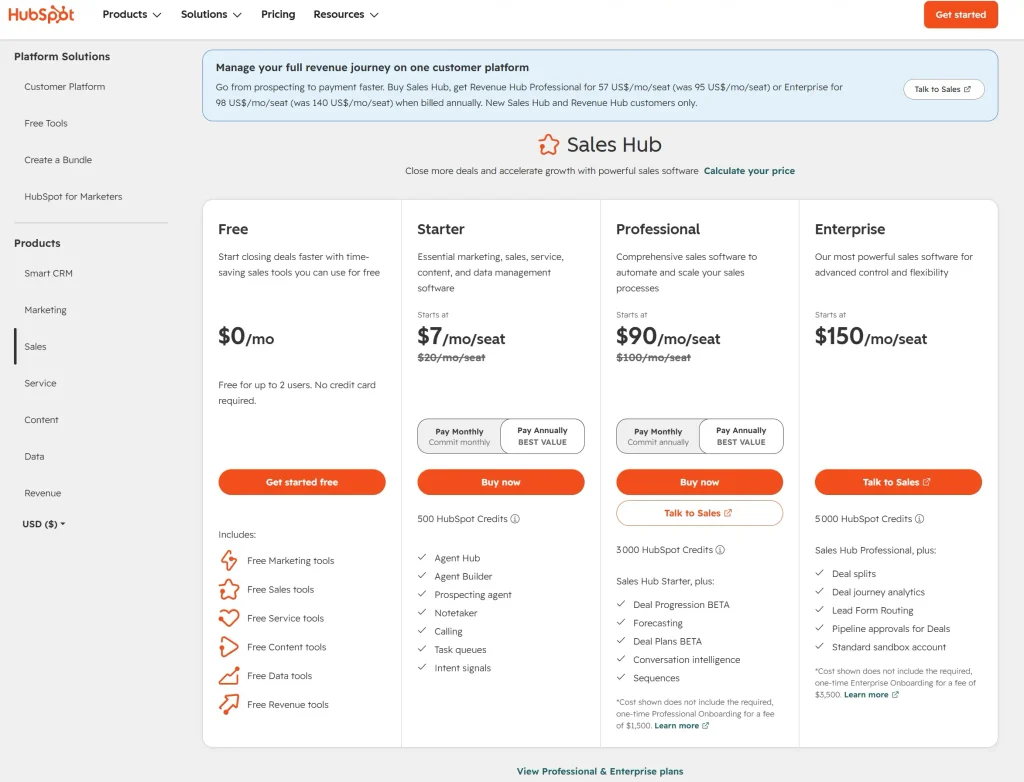
HubSpot Sales Hub offers a free plan for up to 2 users.
Starter: starts at $7/seat/month on monthly billing or $20/seat/month with an annual commitment.
Professional: starts at $90/seat/month monthly or $100/seat/month with annual commitment, while
Enterprise: starts at $150/seat/month.
One cath: Professional and Enterprise also have one-time onboarding fees of $1,500 and $3,500, respectively.
| Plan | Price USD/mo | What’s included | Free trial? |
| Free | $0 | Deal tracking, live chat, meeting scheduling | No credit card required |
| Starter | $7/seat | Outreach automation, payments, personalization | Free tools plus paid upgrade path |
| Professional | $90/seat | Forecasting, advanced follow-ups, prospecting tools | 14-day trial available |
| Enterprise | $150/seat | Custom objects, advanced lead scoring, coaching | Demo / trial route varies |
Prices shown are HubSpot’s current starting prices and may vary by billing commitment, promotions, seats, and applicable taxes. Check HubSpot’s official pricing page before purchasing.
Pros & Cons
✅ Pros
- Useful free tools
- No credit card required to start.
- Starter pricing begins at $7 per seat, which is accessible for many small teams.
- Pipeline view is easy to understand for non-technical users.
- Meeting scheduling and deal tracking solve daily pain points fast.
🔴 Cons
- Professional starts at $100 per seat, which is steep for a small business.
- Onboarding fees can make upper tiers far more expensive than expected.
- Many advanced features only appear in higher plans.
- You may pay for a broad platform when you only need one simple function.
Best for.
service businesses, consultants, and lean sales teams that handle leads every week. For the full CRM comparison, see our best all-in-one CRM guide.
2. Notion – best for docs & knowledge base
Notion turns your workspace into docs, wikis, notes, and lightweight project tracking in one place. The free plan has no time limit and no credit card, with unlimited pages and blocks for a single-member workspace (paid Plus starts around $10–$12/user/mo). It’s the go-to when written content and documentation lead your workflow.
Best for.
Solopreneurs and small teams building an internal knowledge base or SOPs.
3. ClickUp – best for project management
ClickUp offers the most generous free tier in the category Free Forever, no credit card, with unlimited users and tasks. You get multiple views (list, board, calendar), docs, and basic automation before paying anything (paid Unlimited is about $7/seat/mo). If you’ve outgrown spreadsheets but don’t want enterprise overhead, it’s a strong first stop.
Best for.
Small teams that need real project management at $0.
4. Asana – best for team collaboration
Asana balances structure and simplicity for coordinating teamwork. Its free “Personal” plan now caps at 2 users for new accounts, but it needs no credit card, and paid tiers come with a 30-day trial. If your team is bigger than two, budget for a paid plan sooner than the free tier suggests.
Best for.
Small teams that need clean task hierarchies and goal tracking.
5. Canva – best for graphic design
Canva is the easiest way to create social posts, presentations, and branded graphics without a designer. The free plan covers a lot on its own; the 30-day Pro trial does require payment details (unlike the others here), so set a reminder to cancel if you don’t upgrade. Pro runs about $12.99–$15/month.
Best for.
Solo businesses and creators who make visual content weekly.
6. monday.com – best for workflow management
monday.com brings polished, visual workflow management with colorful boards and automation. The free plan covers 2 users and 3 boards, fine for a solo operator testing the waters plus a 14-day trial of paid tiers with no credit card required. Beyond a couple of users, you’ll move to a paid plan quickly.
Best for.
Visual, workflow-driven teams that want an intuitive interface.
7. Airtable – best for databases
Airtable is a spreadsheet-database hybrid for structured data think inventory, content calendars, or a lightweight CRM. The free plan needs no card and includes unlimited bases, 1,000 records per base, up to 5 editors, and pre-built templates. It’s the pick when your work is really data, not just tasks.
Best for.
Businesses that run on structured, relational data.
8. Slack – best for team communication
Slack keeps internal communication organized by channel, cutting email clutter for distributed teams. The free plan requires no credit card and covers messaging, channels, and integrations, with limits on message history and app connections. It’s the default first tool for keeping a small team in sync.
Best for.
Teams that want fast, organized internal communication.
Which free trial SaaS should you choose?
The right pick depends on the job to be done:
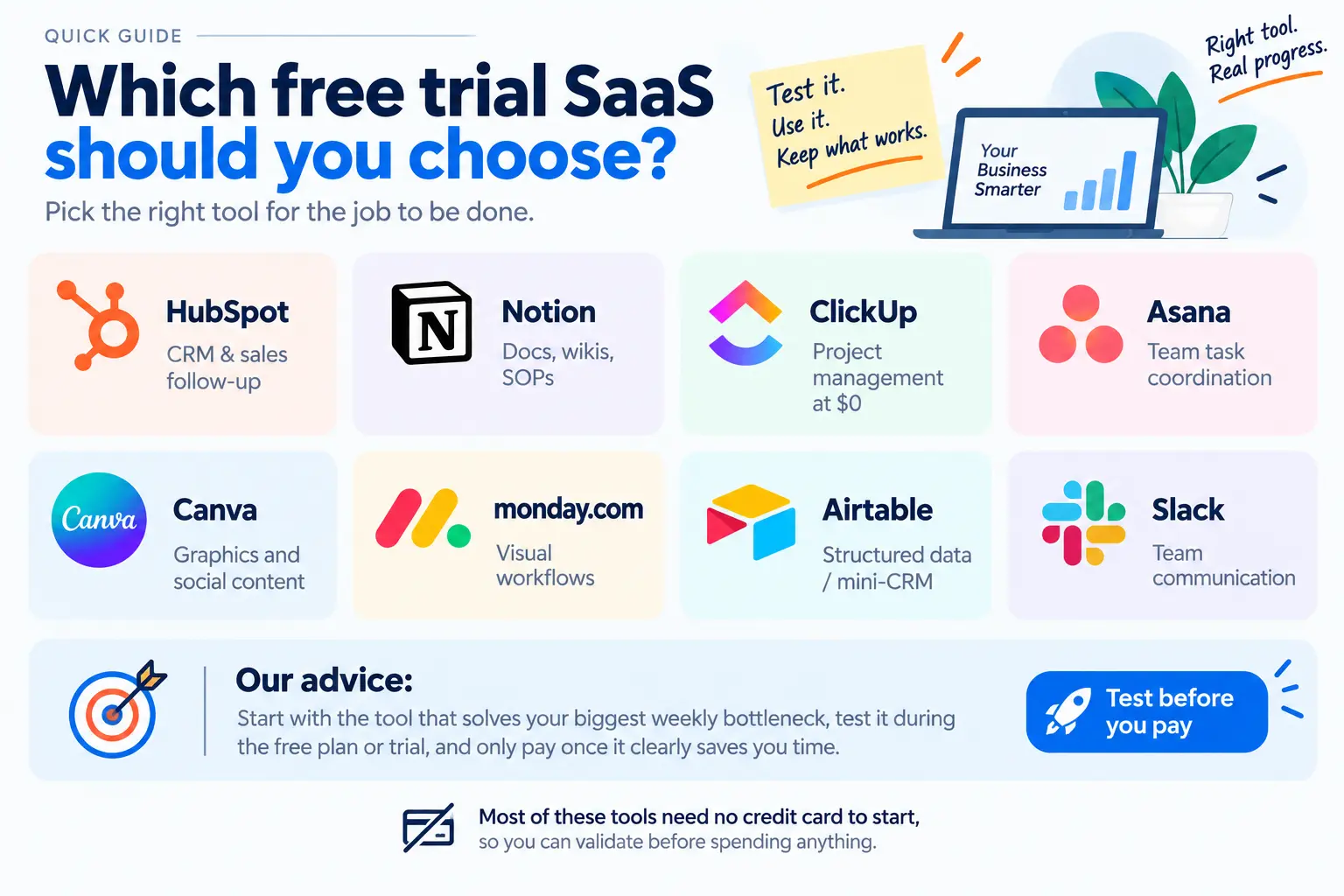
- CRM & sales follow-up → HubSpot Sales Hub
- Docs, wikis, SOPs → Notion
- Project management at $0 → ClickUp
- Team task coordination → Asana
- Graphics and social content → Canva
- Visual workflows → monday.com
- Structured data / mini-CRM → Airtable
- Team communication → Slack
A practical approach: pick the one tool that solves your biggest weekly bottleneck, test it during the free plan or trial, and only pay once the workflow clearly saves you time. Most of these need no credit card to start, so you can validate before spending anything.
Alternatives to HubSpot
If HubSpot feels too broad or the pricing too steep, a few CRMs are worth a look:
- Pipedrive: a clean pipeline without the marketing bloat.
- Zoho CRM: a budget-friendly all-in-one suite for startups.
- Freshsales: a modern CRM with a generous free tier and built-in AI lead scoring.
👉 See the full breakdown in our best all-in-one CRM guide.
FAQ

James runs head-to-head tool comparisons, testing each option on the real tasks small businesses care about. He digs into setup, usability, and whether a tool delivers on its promises.