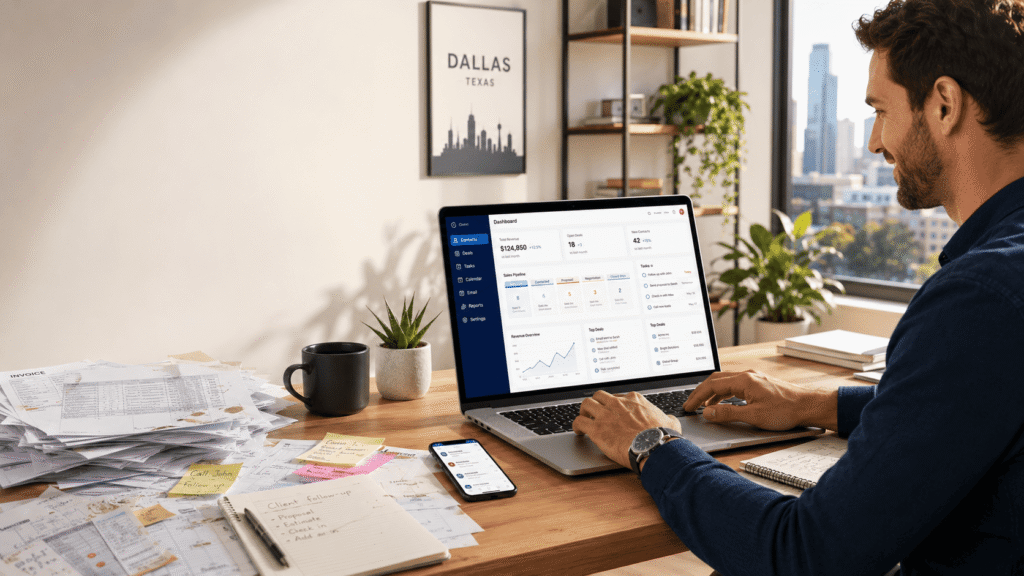
Managing customer information in spreadsheets can quickly become difficult as a small business grows. A CRM brings contacts, conversations, deals, tasks, and follow-ups into one organized system. With so many CRM tools available, it can be difficult to know what this software actually does.
This guide explains exactly what CRM software is, how it works, and which tool fits your profile without wasting money.
Why your small business needs a CRM right now
Without a CRM, small businesses can lose track of leads and miss important follow-ups. A CRM centralizes customer information so tasks, conversations, and opportunities are easier to manage. Instead of coordinating everything through sticky notes, inboxes, and multiple spreadsheets, your team can see what needs attention and when.
What is CRM software? explained simply
CRM stands for Customer Relationship Management. In plain terms, it’s software that keeps track of every interaction with prospects and customers. It stores contacts, communication history, deals, and tasks all in one place. Imagine a CRM as a pack of digital assistants: it automatically logs calls and emails, schedules follow-ups, and reminds you when to reach out. Instead of scattered notes, your team works from a single database. The goal is simple: improve customer relationships and grow your business.
CRM vs spreadsheet what’s the real difference?
| Criteria | CRM Software | Spreadsheets |
|---|---|---|
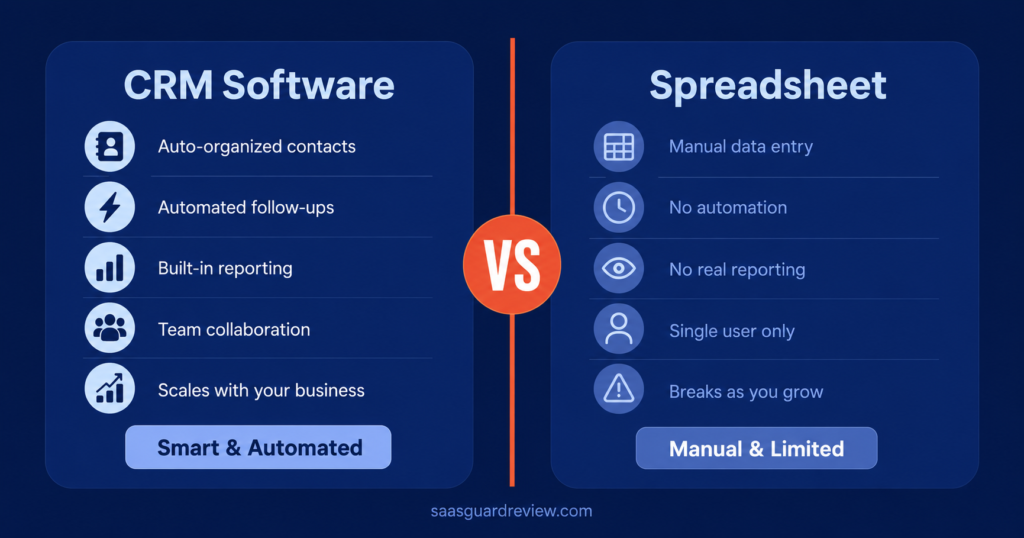
| Organization | All contacts and deals in one central database | Data scattered across files and tabs |
| Automation | Automates emails, reminders, and tasks | No built-in automation (manual only) |
| Scalability | Handles thousands of contacts and multiple users | Can become difficult to manage as data and users increase; version conflicts |
| Reporting | Built-in dashboards and analytics | Manual charts/formulas; time-consuming |
| Collaboration | Real-time multi-user access, single source of truth | Version conflicts; no live syncing |
Table: CRMs keep data unified and automate work, whereas spreadsheets require manual updates and don’t scale or support teamwork.
How CRM software works step by step
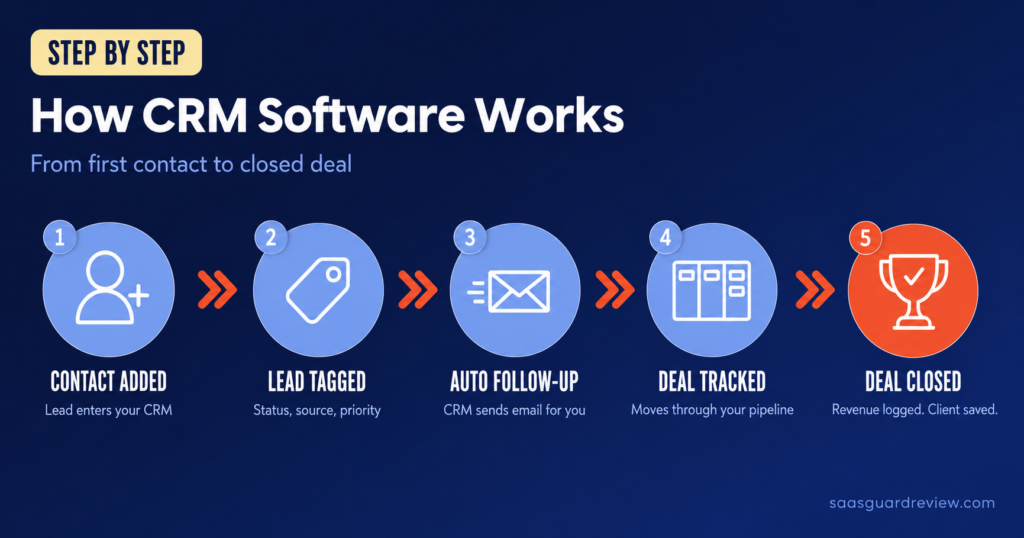
Understanding how CRM software works is easier when you break the process into a few simple steps.
- Import contacts and leads. Gather existing customer and lead lists (from email, spreadsheets, or forms) into the CRM. Then define your sales pipeline. e.g. New → Quote → Won/Lost to match your real process.
This organizes all your deals in one view. - Capture and qualify automatically. Integrate your website forms and email inbox so new inquiries flow directly into the CRM. The system can automatically tag and score leads, so you never lose a contact.
- Set up templates. Create email or text reply templates for common questions. This lets you respond in seconds instead of typing from scratch.
- Automate follow-ups. Build workflows so the CRM creates tasks and sends reminders. For example: “IF no reply in 24h, THEN assign a follow-up call and send a reminder email.” This keeps leads moving without manual tracking.
- Review and act. Use the CRM dashboard to see who’s hot and what’s stuck. Track deals by stage, check overdue tasks, and analyze where sales are leaking. Each step above delivers a more organized pipeline, faster responses, and clear next actions.
Real CRM examples small businesses use every day
- Email follow-up:
Before: Manually sending emails by copy-paste, often forgetting.
After CRM: Auto-welcome emails send instantly when a lead arrives, and scheduled reminders ping contacts until they respond. (CRMs can “automate follow-up” so you never miss a lead.) - Lead tracking:
Before: Leads pile up in unlinked spreadsheets or email.
After CRM: Every lead is a record. Salespeople see exactly where each prospect is in the pipeline. No more questions of “who was that?” – the CRM tracks it all. - Invoicing:
Before: Invoices are created in one tool and tracked in another. Late payments slip by.
After CRM: Generate quotes and turn them into invoices with one click.
Some CRM platforms can also automate payment reminders or connect with invoicing tools. - Pipeline management:
Before: The pipeline exists only in someone’s head or a drawing on paper.
After CRM: A visual sales pipeline shows each deal’s stage (e.g. New, Proposal, Won). Managers instantly see how much revenue is coming. - Customer history:
Before: If a customer calls, staff dig through old emails or rely on memory.
After CRM: Open the customer’s profile to see past orders, emails, and notes.
For example, a bakery used CRM to pull up a customer’s previous orders instantly, resolving requests faster. This personal touch (knowing their preferences) wins repeat business.
What Happens to Your Business Without a CRM
Most small business owners don’t necessarily have a sales problem. They may have a system problem.
Here’s what that can look like in practice.
You lose leads you already paid for
Without a CRM, leads can end up scattered across your inbox, notes app, spreadsheets, or memory. A follow-up gets forgotten, and a potential customer may move on before you respond.
A CRM can automate reminders and follow-up tasks so important opportunities are easier to track.
Your best clients feel forgotten
Existing customers can also be overlooked when there is no organized follow-up process. Without reminders, it is easy to miss check-ins, renewals, or opportunities to stay in touch.
A CRM can help you schedule follow-ups and keep customer activity visible in one place.
You can’t see where your money comes from
Without centralized customer data, it can be difficult to identify which lead sources, sales activities, or customer segments generate the most opportunities.
A CRM can help you track deals, lead sources, conversion stages, and customer activity so you can make decisions using your own business data.
Your team is working blind
If a VA, partner, salesperson, or assistant helps run your business, scattered information can quickly create coordination problems.
Two people may contact the same lead, nobody may know what was discussed, or an important proposal may be sent twice. These are often process problems rather than people problems.
A CRM gives everyone a shared view of customer activity and next steps.
The signs you need a CRM right now
- You’ve lost a deal because you followed up too late
- A client complained they hadn’t heard from you
- You don’t know exactly how many active leads you have today
- Your system is a mix of emails, notes, and memory
- You’ve accidentally contacted the same person twice
Even one of these signs may indicate that your current system needs improvement. If several apply to your business, it may be worth evaluating a CRM.
The tools in this guide range from free options to paid platforms with more advanced features. Compare pricing, contact limits, automation features, and scalability before choosing a CRM.
The 5 criteria to evaluate before choosing a CRM
- Features: What do you really need?
Decide if you must have email marketing, invoicing, or e-commerce. Only pay for features you’ll use. A CRM is no good if it lacks your must-haves (pipeline tracking, contact fields, etc.). - Pricing: Can your budget cover it?
Compare entry costs vs long-term. Check if pricing is per user or flat, and watch out for contact/user caps. A low monthly rate might jump when you add contacts or users. Ideally choose a plan you can upgrade easily as you grow. - Ease of use: Will you actually use it?
The best CRMs are intuitive. Look for a clean interface and minimal required fields so your team will update it. Avoid tools that look like spreadsheets or require pages of data entry–complexity kills adoption. - Integration: Does it play nicely with your world?
Ensure it can sync with your email inbox, accounting software, calendars, or social apps. If your CRM connects to the tools you already use, you avoid double data entry and get a true 360° view of customers. - Support: Can you get help when you need it?
Check if the CRM offers training, live support, or a user community. Fast response is crucial if you’re self-managing it. Also ask about data security and backup practices. In short, choose a CRM that fits your budget, supports your growth, and is easy for your team to adopt.
Common mistakes small businesses make with CRM
- Treating it like an address book. Some businesses only use CRM to store contacts (as a fancy Rolodex). This wastes its power. Instead, set reminders, log calls, and move deals through defined stages.
- No clear process. Skipping to the “fun” features before defining a pipeline is common. Without clear deal stages and owners, your CRM stays a dump of data. Define a sales process (e.g. New → Follow-up → Quote) upfront to keep things moving.
- Doing follow-ups outside the CRM. If you send emails or texts in Gmail or WhatsApp and never log them, the CRM will be empty. Always record tasks and messages in the CRM. For example, Don’t message a client in Facebook Messenger without noting it – it won’t show up in reports.
- Ignoring analysis. Another pitfall is never looking at reports. If you don’t review your CRM dashboard or weekly reports, you miss insights (like which leads convert best). Make it a habit to check pipeline health – don’t let a CRM just sit idle.
- Not training and reviewing. Many stop after setup. In reality, you must review and clean up your CRM regularly (merge dupes, update stages). Keep required fields minimal and give every deal a next task. Otherwise people stop using it.
Our CRM recommendations by business profile
Solopreneur/Freelancer: Solopreneur / Freelancer: EngageBay is an all-in-one platform that combines CRM, email marketing, and automation. It offers a free plan, while paid plans start around $12.74/user/month for the All-in-One package. It can be a practical option for small teams looking to manage several marketing and customer-management tasks from one platform.
Small business (Email-focused): AWeber is an email marketing and automation platform that also includes contact-management features. Its free plan supports up to 500 subscribers, while paid plans start at around $12.50/month when billed annually for 500 subscribers. Its main strength is email marketing rather than full sales-pipeline management, so businesses needing advanced CRM features may prefer a dedicated CRM.
Growing business (Ready to scale): Keap is an all-in-one CRM and automation platform designed for businesses that need sales, marketing, payments, invoicing, and customer management in one system. Pricing starts at $299/month, with annual billing shown at $2,988/year. The plan includes 2 user licenses, while additional users cost $39/month. Required implementation services can also add to the total cost. Because of its higher starting price, Keap is better suited to businesses that need its broader automation and business-management features.
For businesses looking for a free starting point, HubSpot offers a free CRM with no expiration date, up to 2 users, and 1,000 contacts.
Choosing the right CRM can make customer management more organized and reduce the amount of manual follow-up your business needs. Start with the option that best matches your business profile, or explore our guide to the best CRM for startups if you need more options. Focus on a system that makes customer information easy to manage and follow-ups easy to track.
FAQ
Sources:
- EngageBay : Official pricing and product information
- AWeber : Official pricing and product information
- Keap : Official pricing and product information
- HubSpot : Official product information

James runs head-to-head tool comparisons, testing each option on the real tasks small businesses care about. He digs into setup, usability, and whether a tool delivers on its promises.