
SaaS adoption among small businesses keeps rising in 2026 as owners look for software that’s faster to deploy, more affordable, and easier to manage. The benefits of SaaS for small businesses are clearest for teams that want to cut upfront costs, improve collaboration, and scale without heavy IT overhead.
Traditional software is losing ground because it usually means expensive licenses, manual installation, ongoing maintenance, and hardware to support all of which tie up cash a small business could put toward growth. SaaS moves that software to the cloud and hands the technical burden to the provider.
This guide breaks down what SaaS is, why it matters, the top ten benefits, the tools small businesses rely on, honest cost savings, and the drawbacks worth knowing before you sign up.
What is SaaS software?
SaaS stands for software as a service software delivered over the internet instead of installed on a computer or local server. You pay a monthly or annual subscription and access the platform through a browser or app. If you want the full beginner’s breakdown, see our guide on what SaaS software is.
SaaS works by shifting the technical work to the provider, who handles hosting, updates, maintenance, and most security. That frees you to run your business instead of managing infrastructure. The core difference from traditional software is ownership and access: traditional software lives on one device or server, while SaaS is cloud-based and reachable from anywhere with a connection. For a small business, that usually means less setup time, lower upfront cost, and more flexibility as you grow.
10 popular SaaS examples small businesses use every day
- Google Workspace: email, documents, spreadsheets, calendars, and file storage in one place for real-time collaboration.
- HubSpot: a CRM and marketing platform to manage leads, track sales, and automate follow-up.
- ClickUp: project management for tasks, deadlines, and team priorities without scattered spreadsheets.
- Zoom: video calls, webinars, and remote client meetings, now standard for distributed teams.
- Slack: channel-based team communication that cuts email clutter.
- Brevo: email marketing and automation for newsletters, follow-ups, and transactional email.
- Canva: accessible graphic design for social posts, presentations, and marketing visuals.
- Dropbox: cloud storage and file sharing with backup.
- QuickBooks Online: accounting for invoicing, expenses, reporting, and bookkeeping.
- Notion: a flexible workspace for notes, documentation, and lightweight planning.
Together these show how broad SaaS can be supporting sales, marketing, finance, operations, and collaboration in one cloud-based ecosystem.
Why SaaS is becoming essential for small businesses
The benefits of SaaS for small businesses go beyond cost they change how quickly a team can respond to customers.
Customer expectations have shifted: people want faster responses and smoother digital service, which pushes owners toward tools that deploy quickly. Remote and hybrid work adds to it even businesses with an office now need cloud software so teams can work from anywhere without disruption.
Cost efficiency matters too. SaaS lets a company avoid large upfront purchases and pay only for what it uses, which keeps cash flow manageable for smaller teams. And scalability is built in: a business can start with a few users and expand without replacing the whole system. The result is agility: a small consulting firm can launch a CRM, an email platform, and a project tool in days rather than weeks and respond to change faster.
Top 10 benefits of SaaS for small businesses
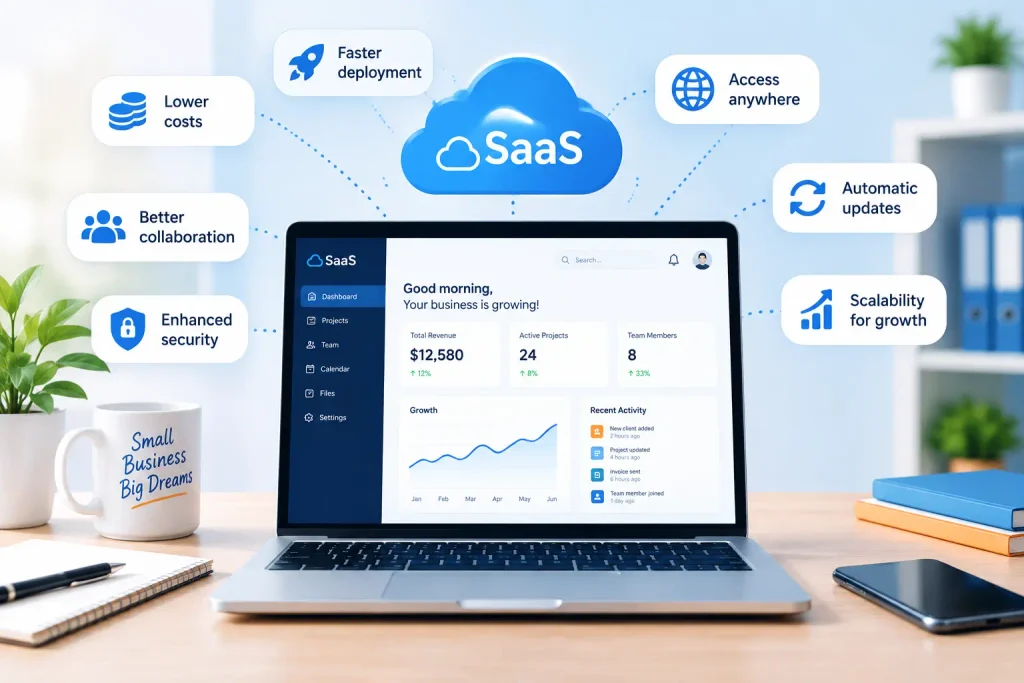
1. Lower upfront costs. Instead of buying licenses or hardware, you pay a subscription. A startup can run a CRM for a small monthly fee and keep more budget for hiring or marketing.
2. Easy setup and deployment. Most tools need only an account and some basic configuration. An agency can stand up project management, email, and collaboration software in an afternoon.
3. Access from anywhere. Because it runs in the cloud, your team can use it on any device with internet. A sales rep updates notes after a meeting and everyone sees the change instantly.
4. Automatic updates. SaaS platforms update themselves, so you always get the latest features and security fixes no manual patching or yearly upgrade bills.
5. Better team collaboration. Everyone works in the same live environment. Shared documents, comments, and task assignments cut confusion across tools like Google Workspace, ClickUp, and Slack.
6. Improved security and backups. Many providers offer encryption and automatic backups a real advantage for a business without a full IT team. If a laptop is lost, your cloud files are still there.
7. Scalability as you grow. Adding users, upgrading plans, and unlocking features is straightforward. A five-person team on a basic plan can expand to thirty without switching systems.
8. Integration with other tools. Most platforms connect to each other, so a lead from a web form can flow into your CRM, trigger an email sequence, and notify sales automatically.
9. Increased productivity. Easier, more connected tools mean less time lost to admin. An accounting firm can process invoices, store documents, and track deadlines in one place.
10. Predictable monthly costs. A subscription model makes expenses easy to forecast, so you plan budgets around a steady monthly amount instead of surprise upgrade bills.
SaaS vs. traditional software: which is better?
| Feature | SaaS | Traditional software |
|---|---|---|
| Cost | Lower upfront, subscription-based | Higher upfront license or hardware cost |
| Installation | Fast and simple | Manual installation required |
| Maintenance | Managed by the provider | Managed by the business |
| Accessibility | Anywhere with internet | Often tied to one device |
| Security | Provider-managed updates and backups | Depends on internal IT |
| Updates | Automatic | Manual upgrades needed |
| Scalability | Easy to expand | Slower and costlier to scale |
For most small businesses, SaaS wins on flexibility, lower friction, and value over time. Traditional software still fits special cases, but it usually demands more support and a bigger upfront investment.
How much can small businesses save with SaaS?
Savings depend on what you’re replacing, but SaaS typically lowers both software and IT costs. The table below uses illustrative estimates, not real quotes, to show the shape of the difference:
| Cost item | Traditional software | SaaS subscription |
|---|---|---|
| Upfront license | ~$2,000 | $0–$300 |
| Hardware / server | ~$1,500 | $0 |
| Annual maintenance | ~$800 | Included |
| Updates / upgrades | ~$500 | Included |
| First-year total | ~$4,800 | ~$600–$1,800 |

Cloud-based SaaS software helps small businesses reduce IT expenses while increasing productivity and return on investment
On these example numbers, first-year savings land around $3,000–$4,000 and that’s before counting the staff hours freed up when admin work shrinks. That combination of lower cost and less IT overhead is a big part of why small businesses lean on cloud software.
Common SaaS categories every small business should consider
Not every business needs the same tools, but most run some version of this core stack:
- CRM software: manage leads, track deals, and automate follow-up. Examples: HubSpot, Zoho, Pipedrive. See our best all-in-one CRM guide.
- Project management: organize tasks, deadlines, and workflows. Examples: ClickUp, Asana, Trello, Notion.
- Email marketing: newsletters, follow-ups, and automated campaigns for retention and lead nurturing. Examples: Brevo, Mailchimp, Kit (formerly ConvertKit).
- Cloud storage: store, share, and back up files. Examples: Google Drive, Dropbox.
- Accounting & invoicing: invoicing, expenses, and bookkeeping. Examples: QuickBooks, Wave, Zoho Invoice, FreshBooks. Compare them in our best invoicing software for freelancers guide.
- AI tools: speed up writing, research, and documentation. Examples: ChatGPT, Jasper, Notion AI. See our best AI tools for small business roundup.
Potential drawbacks of SaaS
A fair guide names the downsides too.
The first is ongoing subscription cost affordable to start, but monthly fees stack up if you pile on too many tools. The second is internet dependency: if your connection drops, cloud access can be interrupted. Vendor lock-in is another concern, since workflows and data built inside one platform take effort to move. And data migration itself can be messy shifting records, files, and settings between platforms isn’t always simple.
None of these outweigh the benefits for most businesses, but they’re worth weighing before you commit.
How to choose the right SaaS tool
A simple framework:
- Define your goal: the exact problem you need to solve.
- Set a budget: what you can spend monthly or annually.
- Compare features: focus on what you’ll actually use, not the longest list.
- Test free trials: try the interface before committing (our best SaaS tools with a free trial guide is a good starting point).
- Check support: responsive help matters when setup questions come up.
- Check integrations: make sure it fits your existing stack.
- Plan for scale: pick a platform that grows with you.
A good SaaS decision isn’t just about features. It’s about fit, simplicity, and long-term value.
Frequently asked questions
Final thoughts
The benefits of SaaS for small businesses in 2026 are hard to ignore: lower startup costs, faster setup, better collaboration, more flexibility, and easier scaling. As more companies move to digital workflows, cloud-based software has shifted from a trend to the default a practical way for owners and founders to work smarter and grow with less friction.
Ready to start? Our top SaaS picks
- Manage clients → best all-in-one CRM
- Get paid faster → best invoicing software for freelancers
- Save time with AI → best AI tools for small business
- Try before you buy → best SaaS tools with a free trial

Katie breaks down AI and SaaS concepts into plain language for business owners who don’t have time for hype. She covers what these tools actually do and when they’re worth adopting.