
Disclosure: This guide contains affiliate links. If you start a Keap trial through one of them, we may earn a commission at no extra cost to you. We only recommend tools we’d actually put in front of a small business.
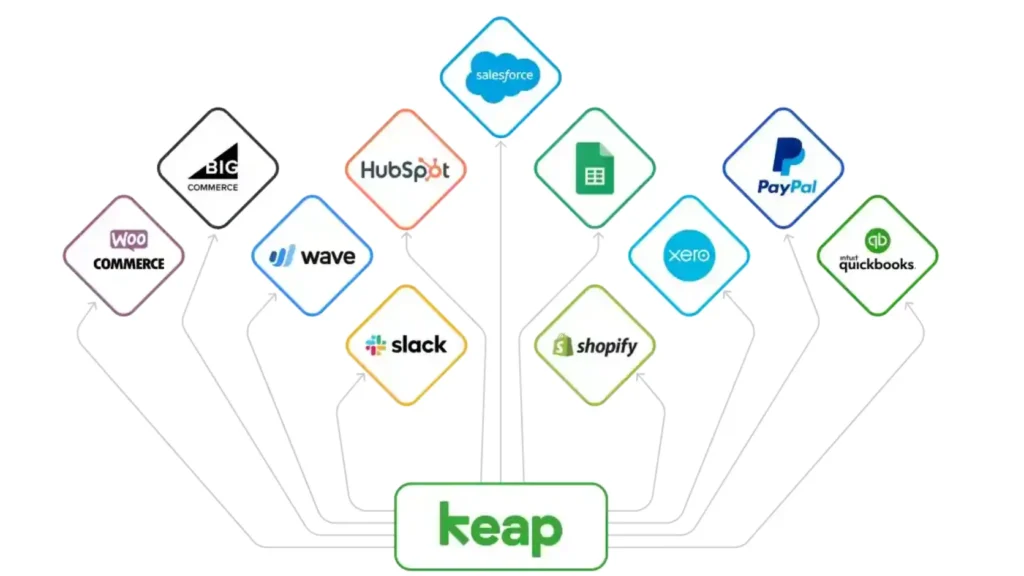
Keap integrations make it possible to connect your CRM with the tools your small business already uses, including Gmail, Outlook, QuickBooks, Stripe, Shopify, Calendly, and more. The important distinction is that not all Keap integrations work the same way. Some are native, while others rely on Zapier, paid marketplace add-ons, or custom API connections.
The good news? Keap covers most of the core tools small businesses need. The catch is that “5,000+ integrations” does not mean 5,000 native connections. Knowing which type of integration you’re getting matters because it affects your setup time, monthly cost, and how reliable the connection will be.
This guide breaks down the most useful Keap integrations, which ones are native, which require Zapier or paid add-ons, and how to choose the right setup before you commit.
What Keap connects with (quick reference)
Here’s the practical map, grouped by what small businesses ask about most:
| Category | Common tools | How they connect |
|---|---|---|
| Email & calendar | Gmail / Google Workspace, Outlook / Microsoft 365 | Native |
| Video & e-sign | Zoom, HelloSign | Native |
| Email marketing | Mailchimp | Native |
| Accounting | QuickBooks Online, Xero | QuickBooks native; Xero via Zapier |
| Payments | Stripe, PayPal, WePay | Native |
| E-commerce | Shopify, WooCommerce, BigCommerce | Zapier / marketplace |
| Scheduling | Calendly, Google Calendar, Acuity | Native calendar; Calendly/Acuity via Zapier |
| Lead capture | Facebook Lead Ads, Typeform, landing-page tools | Zapier |
| Team chat | Slack, Microsoft Teams | Zapier |
For most small businesses, the most useful Keap integrations are the ones that connect email, accounting, payments, scheduling, and e-commerce. These integrations cover the everyday workflows that would otherwise require several disconnected tools.
Keap publishes its official integrations directory with around 230 native and supported connectors. Everything beyond that number comes from Zapier or custom API work, which is where the “thousands of apps” figure comes from.
How Keap integrations actually work
Keap gives you three ways to connect an app, and they are not interchangeable. Pick the wrong one and you’ll either overpay or spend your evenings fixing broken syncs.
Native integrations are built and maintained by Keap. They’re the most stable, usually the fastest to set up, and included in your plan. The trade-off is a shorter list you get the big ones (Google, Microsoft, QuickBooks, Zoom, Stripe) but not every niche tool.
Zapier is the middleman. It links Keap to thousands of apps using a simple “when this happens, do that” logic. This is how most small businesses connect the long tail of tools Keap doesn’t support natively. Two things to know: Zapier is a separate paid subscription once you pass its free tier, and every action (“task”) counts against your Zapier plan, so high-volume automations add up.
Paid marketplace add-ons and the API cover the rest. The Keap Marketplace has connectors built by third parties, some free, many on a monthly fee or one-time license. For anything truly custom (or high-volume), Keap has an open REST API, which realistically means hiring a developer.
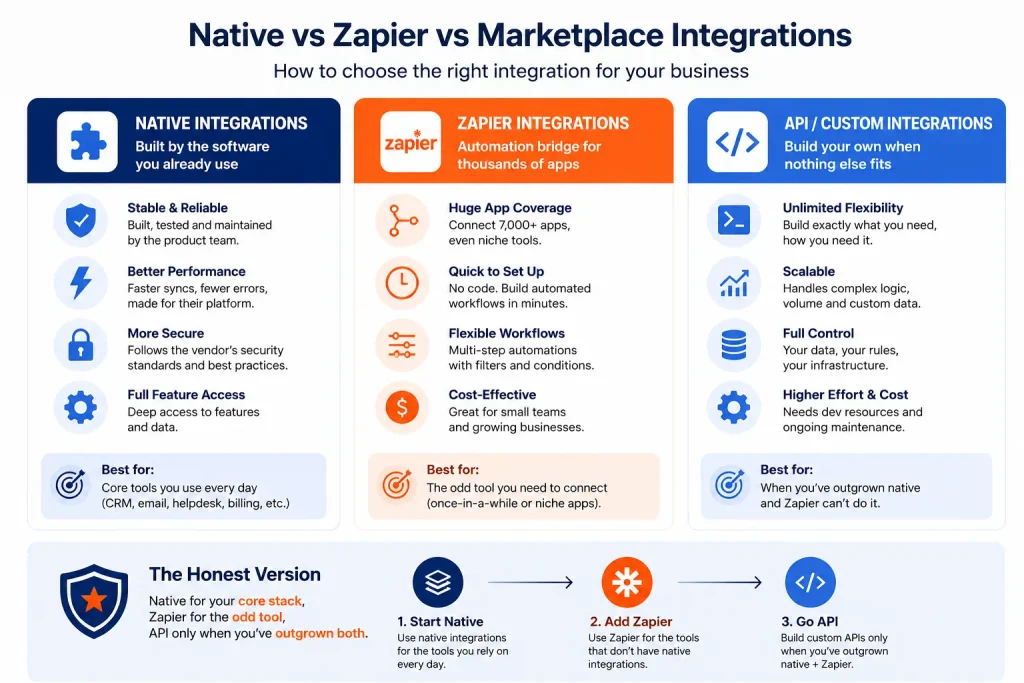
The honest version of Keap integrations is simple: use native connections for your core stack, Zapier for the occasional tool Keap doesn’t support directly, and the API only when your automation needs have outgrown both options.
Keap integrations by category
Email, calendar, and marketing
Gmail and Outlook connect natively, so your sent emails log against the right contact, and you can send from Keap without leaving the CRM. Google Calendar and Microsoft 365 sync appointments both ways. Mailchimp connects natively too, though most people eventually lean on Keap’s own email tools instead of running two systems.
Payments and invoicing
This is where Keap is genuinely strong for a small business. Stripe, PayPal, and WePay plug into Keap’s built-in invoicing, so you can send an invoice, take payment, and trigger a follow-up sequence from one place. On the accounting side, QuickBooks Online connects to keep your books and CRM in sync. If you also run Xero or you’re still choosing an invoicing tool, our best invoicing software for freelancers roundup covers what pairs well with a CRM like Keap.
E-commerce
Shopify, WooCommerce, and BigCommerce feed order and customer data into Keap, mostly through Zapier or marketplace connectors. Once that’s flowing, you can tag buyers, chase abandoned carts, and personalize follow-ups based on what someone actually purchased.
These Keap integrations are particularly useful for businesses that need their CRM to react automatically to new orders and customer activity.
Scheduling
Keap has a built-in scheduler, but plenty of businesses already live in Calendly or Acuity. Those connect through Zapier: a new booking creates or updates the Keap contact, applies a tag, and can kick off a reminder sequence to cut no-shows.
For businesses already using Calendly or Acuity, these Keap integrations can eliminate a lot of manual data entry.
Lead capture and team chat
Facebook Lead Ads, Typeform, and most landing-page builders push new leads straight into Keap via Zapier, so follow-up starts while the lead is warm. Slack and Microsoft Teams connect the same way handy for pinging your team the moment a high-value lead lands.
Watch: Keap + Zapier Integration
Want to see how Keap connects with Zapier in practice? This official Keap walkthrough shows the basic integration process. For the latest setup and supported features, check the current Keap and Zapier documentation.
Which Keap integrations cost extra in 2026?
This is the part Keap’s own marketing won’t lead with, and it’s exactly why an independent guide is worth reading.
- Zapier is free up to a point, then it’s a monthly subscription, and heavy automations burn through task limits faster than people expect.
- Marketplace connectors are a mixed bag. Some are free; others charge a monthly fee or a one-time license on top of your Keap bill.
- Keap itself isn’t cheap. It runs on a single plan starting around $249–$299/month for two users and 1,500 contacts, and pricing climbs as your contact list grows. We break the full numbers down in our Keap pricing guide.
- There’s a mandatory implementation fee (starting around $500) that covers onboarding, data migration, and integration setup. You can’t skip it.
One more thing worth flagging: reviewers on sites like Capterra regularly note that Keap has a huge number of possible integrations, but not every third-party connector is well-maintained. Test any non-native connection with sample data before you rely on it.
How Keap’s integrations compare to HubSpot
If integration breadth is your deciding factor, HubSpot’s native App Marketplace is larger and it has a free tier, which makes it easy to start. Keap’s native list is smaller, and it’s priced for businesses that want done-for-you automation rather than a big app ecosystem to assemble themselves. Neither is “better” in the abstract it depends on whether you want breadth (HubSpot) or a simpler, more guided setup (Keap). We compare both, plus the alternatives, in our best all-in-one CRM guide.
Are Keap Integrations Right for Your Business?
Keap makes the most sense if your core tools are the mainstream ones Google or Microsoft email, QuickBooks, Stripe or PayPal, and a Shopify or WooCommerce store, and you’d rather pay for guided setup than wire everything together yourself. If your business depends on a lot of niche software, budget for Zapier on top, or look hard at whether a CRM with a broader native marketplace fits better.
The fastest way to know is to try it against your own tools. Keap offers a free trial, so you can connect your actual stack before paying anything.
Before choosing Keap, make a list of the Keap integrations your business actually needs and check whether each one is native, Zapier-based, or requires a paid connector.
➡️ Start your free Keap trial and test the integrations that matter to your business.
FAQ

Fedora writes step-by-step guides for non-technical founders, turning complex SaaS setups into clear, follow-along tutorials. She focuses on getting small business owners from sign-up to first results without the jargon.