
If you’re considering Keap for your small business, you probably want to know one thing before committing: can you test its CRM and automation features before paying for a subscription?
The Keap free trial gives you an opportunity to explore its sales and marketing automation platform without entering credit card details. However, the trial has important restrictions, including limits on email sending, payment processing, and text messaging.
In this guide, you’ll learn how the Keap 14-day free trial works, what’s included, what you cannot do during the trial, and how to decide whether Keap is worth paying for.
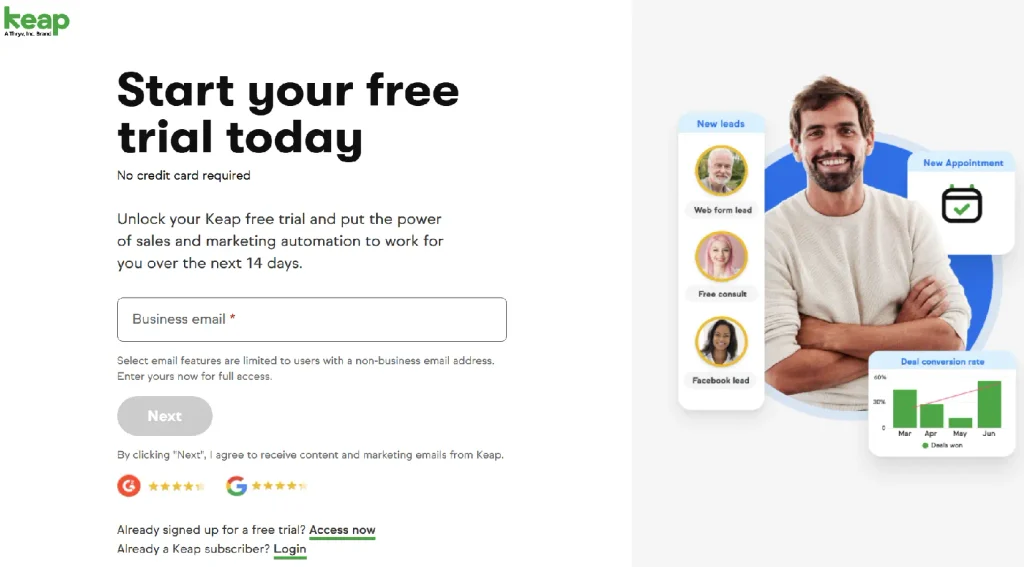
What Is the Keap Free Trial?
The Keap free trial is a temporary way to explore Keap’s CRM and business automation software before purchasing a paid subscription.
Keap brings customer relationship management, lead management, marketing automation, sales processes, and business operations into one platform. Instead of managing customer information across several disconnected tools, you can explore how these activities work together.
According to Keap’s official free trial, you can start without a credit card. Keap’s official trial information describes a 14-day trial period.
During your trial, you can explore whether the platform fits your workflow, understand how its automation tools are organized, and identify which features could help your business save time.
The important distinction is that the trial is designed to let you evaluate the software. It does not provide unrestricted access to every paid feature.
Is the Keap Free Trial Really Free?
Yes. Keap advertises its free trial without requiring a credit card at signup.
This makes it easier to explore the platform before deciding whether a paid subscription is appropriate for your business.
However, there are three things to understand:
- The trial is temporary: The advertised trial period is 14 days.
- Some features are restricted: Keap’s pricing page lists limits on email sending, payment processing, and text messaging during the trial.
- The paid subscription is a separate decision: Review the current pricing and implementation requirements before committing.
You should also distinguish a free trial from a permanently free plan. The trial is an evaluation period, not an indication that you can continue using the full platform indefinitely at no cost.
Does Keap Require a Credit Card for the Free Trial?
No. Keap advertises its free trial as requiring no credit card.
This is useful if you want to explore the platform without providing payment details at the beginning.
Nevertheless, no-credit-card signup does not mean that the service is free forever. You should review the trial terms and the available subscription options before the trial ends.
If you decide to continue using Keap, compare the subscription price with your expected usage, the number of users you need, and any implementation costs.
For a detailed breakdown, read our Keap Pricing guide.
What’s Included in the Keap Free Trial?
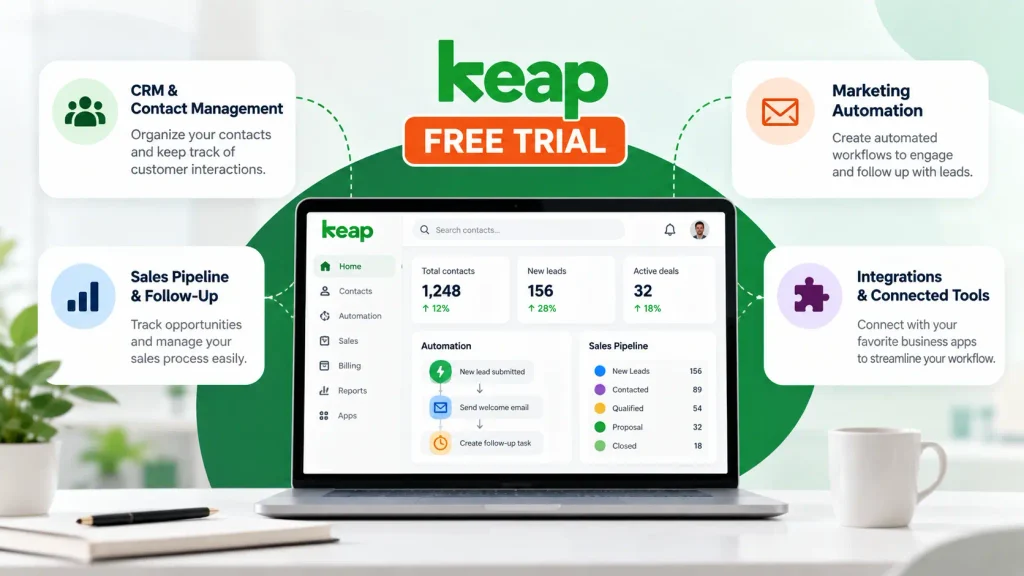
Keap combines CRM functionality with marketing, sales, and business automation. The trial can help you explore how these capabilities fit together, although some activities are restricted.
1. CRM and Contact Management
A CRM helps you organize customer information and keep track of interactions with leads and existing customers.
When exploring Keap, focus on whether its contact records and customer-management workflow fit the way your business operates.
Consider questions such as:
- Can you organize customer information in a way that makes sense for your team?
- Can you identify where a prospect is in your sales process?
- Can you access the information you need without switching between several tools?
A CRM is most useful when it helps you maintain a clear view of your customer relationships, rather than simply storing contact details.
2. Marketing Automation
Marketing automation helps businesses trigger actions based on customer activity or predefined conditions.
For example, a small business might want to follow up with a new lead after someone submits a form or organize a sequence of communications for prospects who have expressed interest.
During your trial, explore the automation workflow and determine whether it is understandable enough for you to manage.
Do not assume every communication channel is fully available during the trial. Email and SMS restrictions can affect which workflows you can actually run.
3. Sales Pipeline and Follow-Up
A sales pipeline helps you track prospects as they move through different stages of a buying process.
When evaluating Keap, consider whether it can help you:
- Organize opportunities and follow-up tasks.
- Understand which prospects need attention.
- Reduce repetitive administrative work.
- Keep customer interactions organized.
The goal is to determine whether Keap’s workflow matches your sales process, not simply to count the number of features available.
4. Integrations and Connected Tools
Your CRM becomes more useful when it works with the applications your business already uses.
Keap promotes integrations with other business applications, but you should verify that each specific connection supports the functionality you need.
Before committing, check whether your essential tools connect natively, require a third-party service, or involve additional costs.
Our Keap Integrations guide explains the different ways Keap can connect with other applications.
Keap Free Trial Limitations: What You Need to Know
This is one of the most important sections to review before starting the trial.
Keap’s official pricing explains that the free trial includes most, but not all, features of the paid edition. The listed restrictions include the following:
| Feature | Trial limitation |
|---|---|
| Email sending | Limited to 25 emails |
| Payment processing | Not available during the trial |
| Text messaging | Sending and receiving texts is unavailable during the trial. |
These restrictions matter because they affect what you can realistically test.
Email Sending Limit
Keap limits email sending during the trial to 25 emails.
You can use the trial to explore the email tools and understand the available workflow, but this limit is not sufficient for evaluating a full-scale email campaign.
If your business depends on sending large campaigns, consider how the paid plan would support your expected volume before making a decision.
Payment Processing
Payment processing is not available during the trial according to Keap’s published trial restrictions.
You therefore should not assume that you can run a complete live payment workflow during the evaluation period.
You can still investigate the platform’s invoicing and payment-related capabilities through its official product information, but verify the exact features available on a paid subscription before purchasing.
Text Messaging
Keap’s published trial limitations also exclude sending and receiving text messages.
If SMS automation is central to your marketing strategy, this is an important restriction to consider. You may be able to investigate the relevant settings and product information, but you should not plan your evaluation around sending live texts during the trial.
Practical tip: Before signing up, write down the three or four workflows that matter most to your business. Use the trial to explore everything available, and separately verify any workflow blocked by the trial restrictions.
How to Start the Keap Free Trial Step by Step
Getting started is straightforward. Follow these steps to begin evaluating the platform.
Step 1: Visit the Official Keap Trial Page
Use the official website rather than an unverified third-party signup link so you can review the current terms directly.
Step 2: Complete the Signup Process
Follow the registration instructions presented on the official website.
Provide the information requested during signup and review any applicable terms. The exact fields and steps may change, so follow the current registration flow rather than relying on outdated screenshots or instructions.
Step 3: Identify Your Main Business Needs
Before exploring the platform, define what you want to accomplish.
For example, you might want to organize contacts, improve lead follow-up, or understand how sales and marketing automation work together.
Having a clear objective makes the trial more useful than clicking through features without a specific purpose.
Step 4: Explore the Relevant Workflows
Focus on the features connected to your objectives.
Explore contact management, sales processes, and available automation tools. Remember that email, payments, and text messaging have the restrictions described earlier.
Keep a list of features that meet your needs, features that require further verification, and limitations that could affect your decision.
Step 5: Review Pricing Before the Trial Ends
If Keap appears suitable, review its current subscription price, contact requirements, user allowances, and implementation costs.
The official Keap pricing should be your reference for current pricing information.
Do not make a decision based only on the monthly subscription price. Consider the full cost of getting the platform configured and ready for your business.
What Happens When the Keap Trial Ends?
The trial is temporary, so you should decide what you need before the evaluation period finishes.
If you want to continue using Keap, review the available paid subscription and implementation options with the company. Confirm the current terms and what is required to move from the trial to a paid account.
If you decide not to continue, consult Keap’s current terms and account guidance for information about your trial account and any data you want to retain. Do not assume that access or data retention will work in a particular way without checking the applicable policy.
Before the final day, ask yourself:
- Did I find the features I need?
- Can Keap support my core customer and sales workflows?
- Are the trial restrictions hiding anything I need to verify?
- Is the total cost appropriate for my business?
- Will the time saved justify the subscription and setup costs?
These questions will help you make a more informed decision than choosing a CRM based on its feature list alone.
Keap Free Trial vs. Paid Plan
The main difference is that the trial is intended for evaluation, while the paid subscription is intended for ongoing business use.
| Consideration | Free trial | Paid subscription |
|---|---|---|
| Credit card at trial signup | Not required according to Keap | Payment terms apply |
| Duration | Advertised as 14 days | Ongoing subscription subject to terms |
| Email sending | Limited to 25 emails | Depends on the applicable plan and terms |
| Payment processing | Unavailable during the trial | Check paid-plan availability and conditions |
| Text messaging | Sending and receiving unavailable during the trial | Subject to plan, location, and usage terms |
| Best purpose | Evaluate the software | Use supported features for business operations |
A paid subscription may be appropriate if Keap fits your workflow and you need capabilities that are restricted during the trial. However, you should verify the exact plan and its limitations rather than assuming that every feature is included at the advertised starting price.
For a more detailed cost analysis, visit our Keap Pricing
Is the Keap Free Trial Worth Trying?
The Keap free trial can be worthwhile if you are considering combining CRM, lead management, and business automation in one platform.
It is especially useful for exploring the interface, understanding how customer information is organized, and investigating the available sales and marketing workflows.
However, the trial is less conclusive if your main evaluation depends on sending substantial email campaigns, processing real payments, or testing live SMS communication. Those activities are restricted during the trial.
Before registering, it is also worth understanding Keap’s overall strengths, weaknesses, and suitability for your business. Our Keap Review covers those broader considerations.
If you are comparing several CRM platforms rather than evaluating Keap alone, see our guide to the Best All-in-One CRM for Small Businesses.
Ultimately, the trial is a useful starting point, but it should be one part of your decision—not the only factor.
Frequently Asked Questions About the Keap Free Trial
Is the Keap free trial 14 days?
Keap advertises a 14-day free trial. Check the official trial page for the current terms before registering.
Can I start the Keap free trial without a credit card?
Yes. Keap advertises its trial without requiring a credit card at signup. Review the official signup page for the current conditions.
What are the main Keap free trial limitations?
Keap’s published pricing information lists a 25-email sending limit, no payment processing, and no ability to send or receive texts during the trial.
Can I process payments during the Keap free trial?
No. Keap lists payment processing as unavailable during the free trial. Verify the capabilities and conditions of the paid plan if payments are essential to your business.
Can I send SMS messages during the Keap trial?
Keap’s published trial restrictions state that sending and receiving texts are unavailable during the trial.
How much does Keap cost after the free trial?
Keap’s official pricing page currently advertises a starting price of $299 per month with monthly billing, or $2,988 per year with annual billing. Your actual cost may depend on your requirements, contact volume, and implementation services. Check the official Keap pricing page for current terms before purchasing.
Is the Keap free trial enough to decide whether the software is right for my business?
It can help you evaluate the interface, contact management, and available workflows. However, the email, payment, and text messaging restrictions mean you may need additional information to assess certain business-critical features.
Final Verdict
The Keap free trial gives small businesses an opportunity to explore a CRM and automation platform without entering credit card details at signup.
Its main value is the chance to investigate contact management, sales workflows, and available automation tools before paying. The key limitation is that the trial does not provide unrestricted access to all paid functionality.
Before starting, identify your most important workflows, understand the trial restrictions, and review the full subscription and implementation costs.
Ready to explore Keap? Visit the official Keap free trial, review the current conditions, and decide whether the platform fits your business needs.

Fedora writes step-by-step guides for non-technical founders, turning complex SaaS setups into clear, follow-along tutorials. She focuses on getting small business owners from sign-up to first results without the jargon.